Pearlblue Tech Pte Ltd
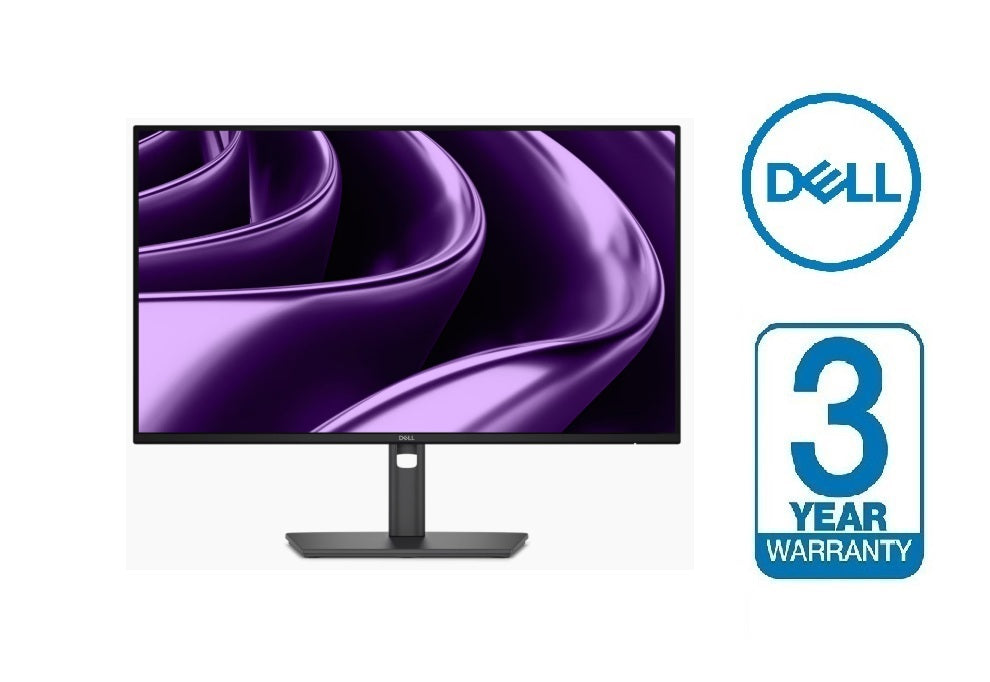
Dell Pro P 24 USB-C Hub Monitor - P2426HE
Dell Pro P 24 USB-C Hub Monitor - P2426HE
Regular price
$309.00
Regular price
Sale price
$309.00
Unit price
per
Couldn't load pickup availability
Optimised connectivity and efficiency
Connect your accessories with a wide variety of ports and enhance efficiency via daisy chaining, all in a clutter-free setup.

Wide variety of ports for all your accessories and RJ45 delivering stable Ethernet.
Simplify management with Dell Display and Peripheral Manager (DDPM) and Dell Device Management Console (DDMC) through the cloud, enabling IT administrators to configure and deploy updates with ease. Experience firmware updates that are faster, smarter, and completely silent.

Thoughtfully designed with a bottom bezel featuring 2 USB-C quick-access ports, this monitor offers the convenience of easy connectivity.


Single-cable solution
Extensive connectivity
Wide variety of ports for all your accessories and RJ45 delivering stable Ethernet.
Remote manageability
Simplify management with Dell Display and Peripheral Manager (DDPM) and Dell Device Management Console (DDMC) through the cloud, enabling IT administrators to configure and deploy updates with ease. Experience firmware updates that are faster, smarter, and completely silent.
Thoughtfully designed with a bottom bezel featuring 2 USB-C quick-access ports, this monitor offers the convenience of easy connectivity.
Quick access ports
Thoughtfully designed with a bottom bezel featuring 2 USB-C (with up to 15W charging) quick-access ports, this monitor offers the convenience of easy connectivity.
An intuitive on-screen display highlights port locations, making it effortless to connect your devices.
An intuitive on-screen display highlights port locations, making it effortless to connect your devices.
Silent Firmware Update
Deliver an exceptional user experience with seamless firmware updates completed in just 2-3 minutes, reducing update time by up to 90%[2]. Updates run during PC disconnect or monitor sleep preventing screen blackouts, along with flexible scheduling of updates ensuring 100% uninterrupted user productivity with guaranteed execution and compliance.
Works with devices on macOS®*
Tested with devices on macOS, this USB-C monitor is ready-to-work with Mac® devices. Requires USB-C or HDMI connectivity. Daisy chaining[3] multiple displays via a single cable requires Thunderbolt connectivity. Please check your device for compatibility, as select M-series chips may not support some features. Install Dell Display and Peripheral Manager application to customise advance settings.
*Based on internal testing of select Dell monitors with USB-C or HDMI connection to devices on macOS, June 2024. Some features may not be supported.

Low blue light reduction dynamic video.

Review a side-by-side comparison between a monitor with a 60Hz vs a 120Hz refresh rate.

*Based on internal testing of select Dell monitors with USB-C or HDMI connection to devices on macOS, June 2024. Some features may not be supported.
Enhanced eye comfort
TÜV 4-Star certified monitor for eye comfort reduces eye fatigue while you work.
Low blue light reduction dynamic video.
Reduces blue light
This monitor features hardware low blue light technology, reducing harmful blue light emissions to ≤35% for all day eye comfort without sacrificing colour.
Review a side-by-side comparison between a monitor with a 60Hz vs a 120Hz refresh rate.
Refresh rate
120Hz refresh rate delivers less flicker, more seamless scrolling and smoother motion.
Vivid colours
Experience wide colour coverage of 99% sRGB and 99% BT.709 with up to 16.7 million displayable colours for vibrant and accurate visuals.
Ports and slots
Rear view
- Security lock slot (based on Kensington Security Slot™)
- Power connector
- HDMI 1.4 (HDCP 1.4) (Supports up
to FHD 1920 x 1080 120Hz TMDS
as per specified in HDMI 2.1) - DisplayPort 1.4 (HDCP 1.4) (Supports up to FHD 1920 x 1080, 120 Hz)
- DisplayPort 1.4 (out) with MST (HDCP 1.4) (Supports up to FHD 1920 x 1080, 120 Hz)
- USB-C 5Gbps upstream (DP 1.4 Alt mode, power delivery up to 100W[9])
- USB Type-A 5Gbps downstream (2)
- RJ45 Ethernet port, 1GbE
- Soundbar slots (2)
- USB-C 5Gbps downstream (up to 15W charging)
- USB-C 5Gbps downstream (up to 15W charging)
- Stand lock
Cables included
- Power cable
- USB-C to C 5Gbps 100W, 1.8m